Want to claim the top spot on Google without paying for ads? Featured snippets make it possible. These bite-sized answers appear above regular search results and mastering them can skyrocket your visibility, traffic, and authority. In this guide, you’ll learn how to optimize your content to win featured snippets, understand what Google looks for, and craft answers that stand out. Whether you’re new to SEO or refining your strategy, these proven tips will help your content rise to the top literally.
What Are Featured Snippets?
Have you ever asked Google a question and seen a special box pop up at the very top with a direct answer? That magic box is a featured snippet. It’s Google’s way of giving you a quick, helpful summary without you needing to click on anything.
So, what are featured snippets exactly?
A featured snippet is a highlighted answer box that appears at the top of Google’s search results, often called “position zero.” It pulls the most relevant information directly from a webpage to give you an immediate answer, which is why some people call them zero-click results.
Where do they show up?
These handy answer boxes sit right above the normal search listings. Because they are the first thing you see, they grab your attention instantly. Google’s system automatically decides which webpage has the best and clearest answer to a question and promotes it to this special spot. This is why knowing how to optimize for featured snippets is so important.
Types of Featured Snippets with Clear Triggers
Featured snippets are not all the same. Think of them like different tools for different jobs. Google uses four main types of these answer boxes to give you the clearest answer possible. Understanding these helps you learn how to optimize for featured snippets and win that amazing “position zero” spot.
Let’s look at the four main types you’ll see.
Paragraph Snippets
This is the most common type of featured snippet. It’s a short chunk of text that directly answers a question, often looking like a mini “definition box.” It’s perfect for answering “what is,” “who is,” or “why is” questions.
- Trigger: To earn this, you need a concise, direct answer of about 40-60 words right below a question-based header.
List Snippets
Have you ever searched for steps to do something or a list of the “best” items? You’ve likely seen a list snippet. It pulls information into a numbered or bulleted list, making it super easy to follow. This is great for recipes, step-by-step guides, or rankings.
- Trigger: Use clear headings and format your content with actual numbered or bulleted lists. Google loves to grab these for “how-to” or “best of” questions.
Table Snippets
When you need to compare things, a table snippet is a game-changer. Google pulls data and organizes it into a neat little comparison table with rows and columns. This often shows up for searches involving prices, years, sizes, or other numbers.
- Trigger: Include a well-structured table on your page with clear labels. This gives Google the perfect format to pull from.
Video Snippets
Sometimes, watching something is easier than reading about it. For “how-to” searches that are visual, Google might feature a video snippet. It will even suggest a specific part of the video to watch, using information from the video’s transcript.
- Trigger: Create helpful videos with clear titles. Providing transcripts with timestamps makes it much easier for Google to find the exact right moment to show.
Search Intent: Match Queries to Snippet Types
To win a featured snippet, you have to be a bit of a mind reader. You need to understand what someone is really asking when they type into Google. This is called search intent. Figuring out the intent behind a search helps you choose the perfect format for your answer, making it much easier for Google to feature you in that glorious “position zero” spot.
Let’s break down the three main types of intent and match them to the right snippet.
Informational Intent: Answering “What” and “Why”
When someone just wants to know something, their search has informational intent. They might ask “what is a ladybug?” or “why is the sky blue?” These are classic what/why queries. They are looking for a quick, simple definition or explanation.
- Best Snippet Match: A paragraph snippet is your best friend here. A short, direct answer of 40-60 words works like a charm.
How-To Intent: Explaining the “How”
If a person wants to learn how to do something, that’s “how-to” intent. Think about searches like “how to bake cookies” or “how to tie a shoe.” They need a series of steps to follow.
- Best Snippet Match: A list snippet is perfect for this. Formatting your instructions as a numbered or bulleted list makes it easy for Google to grab and display. A video snippet also works wonderfully if the steps are best shown visually.
Comparative Intent: Choosing Between “This or That”
Sometimes people need to compare two or more things before making a decision. This is comparative intent. You’ll see this in searches like “cats vs dogs” or “best phones under $500.” They are looking for features, prices, or differences laid out clearly.
- Best Snippet Match: A table snippet is the undisputed champion here. A neat comparison table with clear labels helps people see the differences at a glance, making it a fantastic choice for this type of query.
How Do You Win a Featured Snippet Quickly?
Winning that coveted “position zero” spot doesn’t have to feel like finding a needle in a haystack. With a few smart moves, you can give Google exactly what it’s looking for. Learning how to win a featured snippet is all about making your answers clear, direct, and incredibly easy for Google to find and feature.
Here are four simple but powerful steps you can take right now to help your content get noticed.
Give a Direct Answer Immediately
Don’t Google hunt for the answer. Place a clear and direct answer to the main question right at the beginning of your page, ideally within the first 100 words. Think of it as giving the most important information first.
For example, if someone asks, “How do you win a featured snippet?” you could write:
To win a featured snippet, provide a direct, concise answer of about 40-60 words right below a question-based header. Structure your content with clear formats like lists for steps or tables for comparisons, and make sure your page already ranks on the first page of search results.
This short, complete answer is perfect for a paragraph snippet.
Use Question-Based Headers
Structure your article like a conversation. Use headings (like H2s and H3s) that are actual questions your readers might ask. This not only organizes your content but also sends a huge signal to Google that you have the answer. For example, instead of a heading like “Snippet Strategy,” use “How Do You Optimize for Featured Snippets?”
Think Like an Architect
Build your content with a clear structure that Google can easily understand. Don’t just write a wall of text.
- For steps: Use a numbered list.
- For comparisons: Create a simple table with clear labels.
- For visual guides: Embed a helpful video and include a brief summary.
This formatting makes it much easier for Google to pull your content into a list snippet, table snippet, or even a video snippet. By making your answers neat and tidy, you are one step closer to landing in that amazing answer box.
On-Page Structures That Trigger Snippets
Think of your webpage as a set of building blocks. To get Google’s attention for a featured snippet, you need to arrange those blocks in a way that’s super easy for it to understand. The right on-page structures act like signposts, pointing Google directly to your amazing answers.
Let’s look at the simple structures you can use to help you land that “position zero” spot.
The “Definition Box” Format
For a perfect paragraph snippet, create a special “definition box” on your page. This isn’t a real box, but just a clean, focused paragraph that answers a question directly. Place it right under a question-based header. This format is brilliant for answering long-tail question keywords and can quickly become your go-to answer box.
Numbered Steps for Clear Instructions
When explaining how to do something, nothing beats a numbered list. Instead of writing out a long paragraph, break down the process into simple steps.
- Start with step one.
- Then, explain step two.
- Finish with the last step.
This clean structure is exactly what Google looks for when creating a helpful list snippet. It’s organized, easy to read, and provides immense value to someone needing guidance.
Comparison Tables for Quick Decisions
When you need to show the differences between items, a simple comparison table is your best friend. Create a table with 2-3 columns and a few rows to compare features, prices, or anything else. Be sure to use clear labels for each column and row. This scannable format is a magnet for table snippets, as it helps people make choices fast.
Supportive Bullets for Easy Reading
Even when you aren’t aiming for a list snippet, using bullet points helps make your content scannable and easy to digest. Use them to highlight key features, benefits, or important takeaways. This makes your page more user-friendly and signals to Google that your content is well-organized. By building your page with these simple structures, you make it almost effortless for Google to see your value and feature your content.
Improve Your Rankings with Expert On-Page SEO
Schema That Actually Moves the Needle
Think of schema as a secret language you can use to talk directly to Google. It’s a special code you add to your website that helps search engines understand exactly what your content is about. While it sounds super technical, using it is one of the best ways to give yourself an edge in winning that “position zero” spot. It’s like giving Google a perfectly labeled map to your best answers.
Let’s break down the two most helpful types of schema for featured snippets.
FAQ Schema for Your Questions
Have you ever put a list of questions and answers on your page? That’s the perfect time to use the FAQ schema. This code tells Google, “Hey, I have a list of frequently asked questions right here!” It’s amazing for pages with multiple question-based headers. Google loves this because it can quickly pull those Q&As into the search results.
- When to use it: Use it on any page where you answer three or more related questions.
HowTo Schema for Your Guides
If your page gives step-by-step instructions, then HowTo schema is your new best friend. This code highlights each step in your guide, making it incredibly easy for Google to create a list snippet. It can even show your steps as a rich result, helping you stand out even more.
- When to use it: Use it for any content that guides a reader through a process, from recipes to craft tutorials.
Does Structure Alone Ever Work?
Sometimes, a well-organized page with clear headings and lists is enough for Google to create a featured snippet. However, adding schema is like giving your content a superpower. It removes any guesswork for Google. We always recommend it at bosthelp because it gives you the best possible chance to get featured.
Just remember to check your code with a validation tool to make sure there are no errors. A clean, simple structure combined with the right schema is a fantastic recipe for success. And as you explore more, bosthelp is here to make these concepts feel less like a puzzle and more like a fun project.
How to Find and Prioritize Snippet Opportunities
Finding the right questions to answer is the first step to winning a featured snippet. You don’t have to guess what people are asking. You just need to know where to look. By finding these golden opportunities, you can focus your energy on creating content that has the best chance of landing in that incredible “position zero” spot.
Here’s how you can become a detective and uncover amazing snippet chances.
Mine “People Also Ask” and Related Searches
The easiest way to find featured snippet opportunities is to let Google tell you what people are looking for. When you search for a topic, scroll down to the “People Also Ask” (PAA) box. This is a goldmine of long-tail question keywords that people are actively searching for. Also, check the “related searches” at the bottom of the page for more ideas.
- Example: If you search for “healthy snacks,” the PAA box might show questions like “What is the healthiest snack for weight loss?” or “What are 5 healthy snacks?” These are perfect for creating question-based headers.
Look for Keywords Where You Already Rank
You don’t need to be number one to win a snippet. In fact, most featured snippets come from pages that rank in the top 10 but aren’t in the very first spot. Look for keywords where your page is already on the first page of Google. These are your best targets because Google already sees your page as a trusted source. Improving your answer on one of these pages is much easier than starting from scratch.
Build a Question Map for Your Page
Once you have a main topic, you can create a simple “question map” to plan your content. This helps you structure your page to answer multiple questions and target different snippet types.
Let’s say your topic is “indoor plants.”
- Start with a “What” question: “What are the best indoor plants for beginners?” (This is great for a paragraph snippet).
- Add a “How” question: “How do you care for indoor plants?” (This is perfect for a list snippet with steps).
- Finish with a comparison: “Which indoor plants need the least light?” (This could be a fantastic comparison table).
By hunting for these opportunities, you can create content that directly answers your audience’s most pressing questions, making you a prime candidate for a featured snippet.
What If You Lose a Featured Snippet?
It can feel a little heartbreaking to win that amazing “position zero” spot only to see it disappear one day. But don’t worry! Losing a featured snippet happens to everyone, and it’s often fixable. Usually, it just means a competitor created a better answer, or Google found a clearer format.
Think of it as a friendly challenge to make your content even better. Here’s how to diagnose the problem and get back on top.
Figure Out What Changed
First, play detective. Go look at who has the snippet now. Ask yourself a few simple questions:
- Is their answer clearer or shorter? Maybe their answer is a perfect 40-60 words, and yours is too long.
- Did they use a better format? Perhaps they used a neat comparison table while you just used a paragraph.
- Is their information newer? Content freshness matters. If your article is from last year and theirs is from last week, Google might prefer the newer content.
Understanding why you lost the snippet is the first step to getting it back.
Your Quick Regain Checklist
Once you have an idea of what happened, you can take action. Here’s a simple checklist to help you regain that featured snippet.
- Sharpen Your Answer: Go back to your page and rewrite your direct answer. Make it even clearer and more concise. Try to get it right within that 40–60 word sweet spot.
- Improve Your Formatting: If the new snippet is a list, can you reformat your content into a numbered or bulleted list? If it’s a table, can you create one that’s even easier to read? Match the winning format, but do it better.
- Refresh Your Content: Update any old facts, figures, or dates. Add a “Last Updated” date near the top of your page. This simple signal tells Google your content is fresh and relevant right now.
Losing a snippet isn’t a failure, it’s an opportunity to improve. A few small tweaks are often all it takes to reclaim your spot in that coveted answer box.
Tracking, Testing, and Defending Your Wins
Winning a featured snippet is an awesome feeling, but the work doesn’t stop there. To keep your spot at “position zero,” you need to keep an eye on it, test what works, and be ready to defend your position. Think of yourself as the king or queen of the answer box castle. You need to make sure your castle stays strong!
Here’s how you can track, test, and protect your hard-earned wins.
Monitor Your Snippet Visibility
Once you have a featured snippet, you need to track its visibility. This just means checking regularly to make sure you still have it. A quick weekly check is a great habit. You can use a position tracking tool or simply search for your keyword in an incognito window to see if your answer box is still there. Keeping an eye on your featured snippet CTR (click-through rate) can also show you how many people are clicking your link from the snippet.
Test and Learn What Works Best
To stay ahead, you need to become a scientist and run small experiments. This helps you understand what Google loves most.
- Test the answer length: If you have a paragraph snippet, try making your answer a little shorter or a little longer. Does a 40-word answer work better than a 60-word one?
- Test the format: If you have a list snippet, would it work better as a table? Or could you add a small table to support a paragraph snippet? Small changes can make a big difference.
Running these simple tests helps you discover the perfect formula for your content.
Defend Your Snippet with a Refresh Cadence
The best defense is a good offense. To monitor snippet ownership and keep your spot, you need to keep your content fresh. A great way to do this is with a “refresh cadence,” which is just a fancy way of saying you should update your content on a schedule.
Every 3-4 months, revisit your page. Update any old stats, add a new tip, or simply tweak the wording to make it clearer. This signals to Google that your content is still the most current and helpful answer available, making it much harder for a competitor to steal your crown.
AI Overviews and Featured Snippets: Friend or Foe?
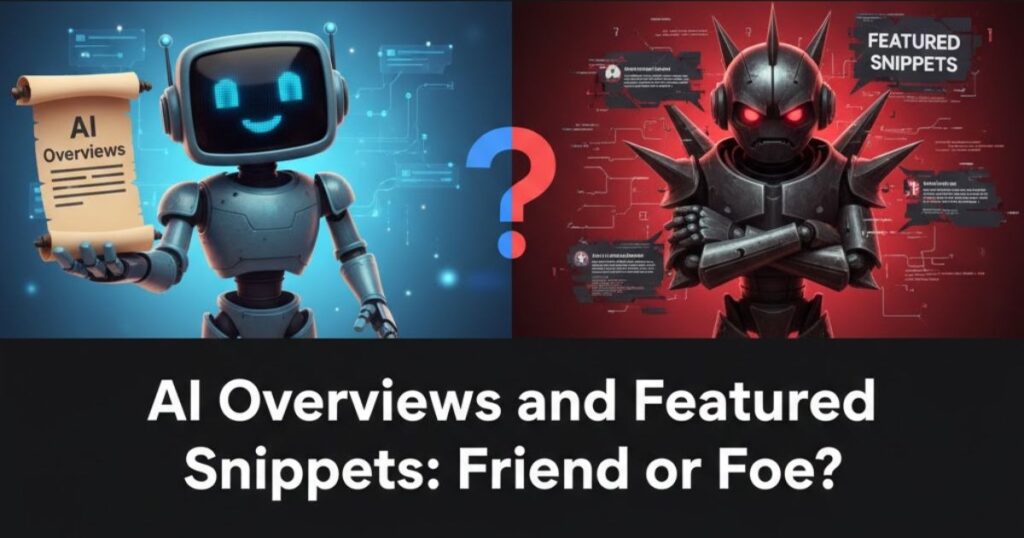
You may have noticed a new player on the search results page: AI Overviews. These are detailed summaries generated by artificial intelligence that appear at the very top. It might seem like they are competing with our beloved featured snippets for that top spot, but don’t worry. They can actually work together, and you can aim to appear in both!
Think of it this way: a featured snippet is a direct quote from a single webpage, while an AI Overview is a summary created from several great sources.
Can They Be Friends on the Same Page?
Yes, they can! Sometimes, a featured snippet will appear right below an AI Overview. This happens when Google’s AI uses your page as a key source for its summary and also decides your specific answer is so good that it deserves its own spotlight. Being featured in both is a massive win, showing that your content is a top-tier resource.
How to Be Cited in Both
The secret to appearing in both AI Overviews and featured snippets is to create amazing, trustworthy content. The same strategies you use to win a snippet also make your page attractive to AI.
- Be a Credible Source: The AI looks for content that demonstrates strong E-E-A-T signals (Experience, Expertise, Authoritativeness, and Trust). Make sure your information is accurate, well-explained, and up-to-date.
- Use Clear Structures: Continue using question-based headers, direct answers in the first 100 words, and clean formats like lists and tables. These organized structures are easy for both people and AI to understand.
- Provide Unique Value: Offer clear examples, helpful tips, or data that other pages don’t have. When your content is uniquely valuable, the AI is more likely to cite you as a primary source.
By focusing on creating the best possible answer, you put yourself in a great position to earn a spot in the AI Overview, the featured snippet, or even both. They are not foes, but two different opportunities to shine.
Voice Search and Featured Snippets
Have you ever asked your phone or a smart speaker a question out loud? That’s voice search, and it’s becoming more popular every day. When you ask a question like, “Hey Google, how do you make pancakes?” the device often reads the answer directly from a featured snippet. This makes winning that “position zero” spot even more important.
Optimizing for featured snippets is the best way to get your content read aloud by these voice assistants.
Speaking the Right Language
People talk differently than they type. When we use voice search, we ask full questions, just like we would with a friend. These are called conversational queries. For example, you might type “best dog food” but you would ask, “What is the best food for my puppy?”
To get noticed by voice search, your content needs to match this natural way of speaking. Think about the full questions people might ask and use those as your question-based headers.
How to Make Your Content Voice-Friendly
Making your content ready for voice search is simple. The same strategies you use for winning a featured snippet work perfectly here. It’s all about creating clear, speakable content.
Here are three quick tips:
- Use Full Questions: Structure your content around long-tail question keywords. Instead of a heading like “Pancake Recipe,” use “How Do You Make Fluffy Pancakes from Scratch?”
- Give Quick Answers: Place a short, direct answer right at the top of your page. Voice assistants love to grab a perfect paragraph snippet to read aloud because it sounds natural and gets straight to the point.
- Create Helpful Lists: For “how-to” questions, use a numbered list snippet. When a voice assistant reads a list of steps, it’s incredibly easy for the listener to follow along.
By thinking about how people talk, you can learn how to optimize for featured snippets that sound great when read aloud, putting you right in the ears of your audience.
Your Snippet Playbook: A Quick Recap
You’ve done it! You now have a complete playbook for winning that amazing “position zero” spot. We’ve learned that featured snippets are all about making your answers clear, helpful, and super easy for Google to find. Whether it’s for a simple paragraph, a helpful list, or a handy table, the goal is always to provide the best possible answer for someone’s search.
By using question-based headers, giving direct answers, and organizing your content, you’re not just optimizing for Google, you’re creating a better experience for your readers. And as we saw, this same strategy helps you get noticed in AI Overviews and voice search, too!
Your 5-Step Action Plan
Ready to get started? Here is your quick action plan for how to optimize for featured snippets today.
- Find a Question: Look at the “People Also Ask” section for a question your audience has.
- Pick Your Format: Decide if the best answer is a paragraph, a list, or a table.
- Write a Clear Header: Turn the question into a heading on your page.
- Give a Direct Answer: Write a simple, direct answer right below the heading.
- Build Your Content: Use a clean structure (like a numbered list or a comparison table) to support your answer.
Winning your first featured snippet feels fantastic, and it all starts with taking that first small step. Go find one question you can answer better than anyone else and start building from there
Resources, Templates, and Next Steps
You are now equipped with everything you need to start your journey toward winning featured snippets. To make it even easier, here are a few simple templates and a weekly checklist to keep you on track. Think of this as your personal toolkit for conquering “position zero.”
Reusable Snippet Templates
Feel free to copy and paste these structures directly into your content. They are designed to be exactly what Google looks for.
- For a Paragraph Snippet:
- H2/H3 Header: [Your Question-Based Header Here]
- Direct Answer: [A clear, 40-60 word answer that directly addresses the question.]
- For a List Snippet:
- H2/H3 Header: [Your “How-To” Question Header]
- Introductory Sentence: To [achieve the task], follow these simple steps:
- Start with step one.
- Next, complete step two.
- Finally, finish with step three.
- For a Table Snippet:
- H2/H3 Header: [Your Comparison-Based Question]
- Simple Table: Create a clear comparison table with 2-3 columns comparing the most important features.
Your Weekly Snippet Routine
Consistency is key! Spend just 15 minutes each week on this simple routine to find and defend your featured snippets.
- Find One Opportunity: Search a keyword and find one question in the “People Also Ask” box.
- Check Your Rankings: See if you own any featured snippets and if they are still there.
- Improve One Page: Pick one existing page and sharpen its answer or add a better structure.
Getting started is the most important part. You don’t need to do everything at once. Just pick one small action from the list above and do it today. Every small step you take brings you closer to seeing your content in that glorious answer box.
Conclusion
Featured snippets are one of the most powerful tools for improving visibility in Google search results. By learning how to master featured snippets to boost your organic rankings, you can position your content as the go-to answer for users’ questions. With the right structure, clarity, and keyword strategy, your website can claim prime real estate on the search page driving more clicks, building authority, and accelerating organic growth. In SEO, mastering snippets isn’t just an advantage, it’s a game changer.
FAQs
Featured snippets are short, highlighted answers shown at the top of Google results that quickly provide users with relevant information.
They help your content appear above traditional search results, improving visibility, credibility, and click-through rates.
Use clear headers, bullet points, and concise answers to common questions, focusing on user intent and keyword relevance.
How-to guides, definitions, lists, and question-based content tend to perform best in featured snippet results.
Yes. Being featured at the top of search results can significantly increase organic clicks and overall brand exposure.