Staring at your Google Analytics 4 dashboard and feeling puzzled? You’re not alone. Many people see the numbers for views and sessions and wonder why they don’t match up. It’s one of the most common points of confusion in GA4, but understanding the difference is your secret weapon for making sense of your website’s data.
This guide is here to clear everything up. We’ll break down these core Google Analytics 4 metrics in simple, easy to understand terms. By the end, you’ll know how to analyze session data, track user engagement, and find your most popular pages. Let’s turn that confusion into clarity and unlock the powerful story your data is waiting to tell.
Decoding the Core Metrics: What Are Views and Sessions in GA4?
To really understand your website’s performance, we first need to clarify these two key terms. Think of them as different tools in your analytics toolbox, each designed for a specific job. Understanding them is the first step to making sense of your data.
What is a View in GA4?
Let’s start with the simple one. In the old version of Google Analytics, you might remember a metric called Pageview. In Google Analytics 4 (GA4), that idea is now simply called a View.
A View is counted every time a user looks at a page on your website or a screen in your app. It’s as straight forward as that. If someone lands on your homepage, that’s one view. If they click on your About Us page, that’s a second view. If they get lost and return to the homepage, that’s another view.
The key thing to remember is that GA4 counts every single load, even if it’s the same person looking at the same page multiple times in a few minutes. This is all tracked by a signal called the page view event, which your site automatically sends to Google Analytics.
What is a Session in GA4?
Now, let’s zoom out. If a view is a single action, a Session is the entire visit. Google defines a session as when a user actively engages with your website. When someone lands on your site, GA4 starts a stopwatch and begins a new session, grouping everything that person does into that one visit.
A session ends in one of three ways: after 30 minutes of inactivity, at midnight, or if the user returns from a different campaign source. Think of it like a trip to the grocery store: the entire time you spend inside is one session, while the individual aisles you walk down are the views.
Views vs. Sessions: The Key Distinctions at a Glance
You know the basic definitions, but the real magic happens when you understand how views and sessions tell two different stories about your audience. The common confusion around GA4 views vs sessions is about knowing what you want to measure: the page’s popularity or the visitor’s behaviour.
To make the differences clear, let’s put them side by side.
How Views and Sessions Tell Different Stories
Think of it this way: views give you a popularity contest for your content, while sessions measure the quality and source of your traffic.
|
Feature |
Views |
Sessions |
|
What It Measures |
The popularity of a specific page or screen. |
A user’s entire visit and their overall engagement. |
|
Scope |
A single action (one page loading). |
A group of actions over a specific period. |
|
Duration |
None. It’s an instantaneous count. |
It has a clear start and end time. |
|
Key Question: It Answers |
Which of my pages are people looking at the most? |
How are people finding my site, and what do they do once they’re here? |
In simple terms, a page might have many views, which is excellent, but if those views come from sessions that last only a few seconds, it could signal a problem. You need both metrics to understand your website’s performance fully.
Professional SEO Services
Why Do My Reports Show More Sessions Than Views?
This is one of the biggest head scratchers in GA4, and it can feel completely backward. Look at a report for a specific landing page and see something strange, like 1,000 sessions but only 950 views. How can more visits start on a page than there are actual views of that page?
Don’t worry, your GA4 account isn’t broken. There are a few logical, though slightly technical, reasons why this can happen.
Unpacking the Discrepancy
- Tracking Glitches: A session officially starts when a user’s first event is recorded. Usually, this is the page view event when a page loads. However, if a user has a browser setting that blocks specific scripts or your site’s tracking code has a minor hiccup, the session might get recorded, but the page view event might fail to fire. In that case, you get credit for the session without a corresponding view.
- Custom Report Filters: This scenario often happens if you build a custom report. For example, you might set a filter only to show data for your blog pages. If a user starts their session on your homepage (which is filtered out) and then navigates to a blog post, the session is counted for that blog post because it was part of that user’s journey. However, the numbers can look skewed since the homepage view isn’t included in your filtered report.
While it’s a tricky concept, the key takeaway is that these discrepancies are usually minor and stem from how GA4 is designed to process events. For a quick check, you can use GA4’s DebugView to watch events fire in real time and ensure your tracking works as expected.
Putting Data into Action: Practical Use Cases
Knowing the definitions is excellent, but how do you use this information? Let’s get practical. This is where you can stop worrying about the GA4 views vs sessions confusion and start using the data to make real improvements to your website.
When to Analyze Views: Uncovering Content Popularity
Your view metrics are your best friend for understanding what content connects with your audience. Head over to the Pages and Screens report in GA4. By sorting your pages by Views, you can quickly find your star content and the pages you should keep updated and promote. Sorting the other way reveals which low performing pages need to be refreshed or removed.
When to Analyze Sessions: Measuring Acquisition and Engagement
Session data tells you how people get to your site and what they do when they arrive. For this, the Traffic acquisition report is your go to destination. Here, you can see which channels, like Organic Search or social media, drive the most visits. More importantly, you can analyze session based metrics like Engagement Rate and Average session duration to gauge the quality of that traffic and ensure you’re attracting the right audience.
Beyond the Basics: Related Metrics You Need to Know
Views and sessions are just the beginning. Google Analytics 4 offers a few other robust metrics that add even more colour to how users interact with your site. Understanding these will take your analysis to the next level.
Exploring Deeper with Session Based Metrics
GA4 looks for signals within each session that a user is genuinely engaged. This gives rise to a few essential terms:
- Engaged Sessions: A session is considered engaged if the user stays on the site for more than 10 seconds, has a conversion event, or views at least two pages.
- Engagement Rate: This is the percentage of total sessions that were engaged. It’s better to measure visit quality than the old Bounce Rate.
- Bounce Rate: In GA4, this is the opposite of the engagement rate. It’s the percentage of sessions that were not engaged, so a lower number is better.
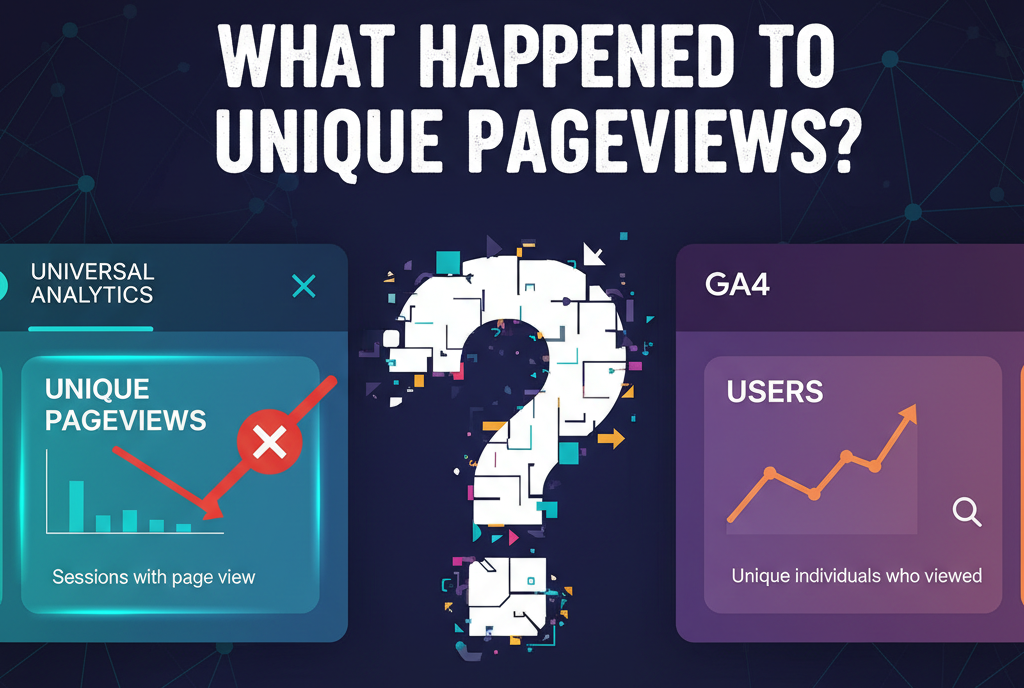
What Happened to Unique Pageviews?
If you’re a veteran of Universal Analytics, you might be searching for the Unique Pageviews metric. This showed how many sessions included a view of a specific page.
In GA4, this metric is gone. The closest you can get is by looking at the Users metric next to a page in your reports. This tells you how many unique individuals viewed that page. While it’s not a perfect replacement, it serves a similar purpose by helping you understand your content’s reach beyond just the raw view count.
From Confusion to Clarity: Mastering Your GA4 Reports
So there you have it. The great mystery of GA4 views vs sessions is officially solved. It all boils down to a simple, powerful distinction that can transform how you see your website’s performance.
Remember these key takeaways:
- Views tell you what content is popular. Use this metric to identify your star articles and underperforming pages.
- Sessions tell you how users are finding you and interacting with your site. Use this to measure your marketing effectiveness and overall user engagement.
You don’t have to choose between them. A brilliant analyst uses both to get a complete, 360 degree picture. By understanding these core metrics, you can move from being confused by data to being empowered by it, making confident decisions that drive real growth.
What’s Your Next Step?
Ready to put your new knowledge to the test? Your next move is simple. Open your Google Analytics 4 account, navigate to the Pages and screens report, and see these metrics. Start looking for trends, asking questions, and turning those valuable insights into meaningful actions.
In GA4, views count every time a page or screen is loaded or reloaded, while sessions represent a single visit that can include multiple interactions. One session can have many views depending on user activity.
Views per session show the average number of pages or screens viewed during each session. It helps measure how engaged users are during their visits.
A session begins when a user starts interacting with your site or app and ends after 30 minutes of inactivity or at midnight. Each new visit restarts the session timer.
No, they’re different. A page view records each time a page loads, while a session tracks an entire visit that can include many page views.